Top 6 free AI cutout background removal tools, 2026 online one-click transparent background
Background removal is used almost daily for e-commerce main images, ID photos, PPT graphics, social media avatars, and sticker creation. Professional Photoshop is too heavy to learn, and phone apps plaster watermarks everywhere. In 2026, free online AI background-removal tools already produce results in seconds, and the edge detail is even more natural than manual cutouts. This article runs hands-on tests to rank the Top 6 tools, comparing them across transparent-background quality, commercial licensing, speed, and privacy protection, and gives the best choice for each scenario.
Whether a background-removal tool is good comes down to one thing: can it recognize complex edges such as strands of hair, fur, and semi-transparent objects. This was the very difficulty that Photoshop spent the past decade tackling with channels and masks by hand. AI tools have already overtaken manual work on this front.
No. 1 Remove.bg, the Strongest All-Around
Remove.bg is a German company founded in 2018. By 2026 it had processed a cumulative total of over 3 billion images, and Stripe, Shopify, and Canva have all integrated its API.
Core capabilities. It recognizes 4 major categories: people, products, animals, and text graphics. For people, it can correctly strip out edges including hair strands, clothing folds, and the shadows of glasses.
Workflow. Open remove.bg, upload an image, and get a transparent-background PNG within 5 seconds. No registration required.
Free-tier limits. Preview images are small at 612x408 pixels, and official downloads require credits. You get 50 free HD downloads per month, with overages at 0.20 US dollars each or via an annual subscription.
Subscription pricing. The Pro Subscription is 9.99 US dollars per month for 40 HD images, and 49.99 US dollars per month for 200. Pay-as-you-go is 3.99 US dollars for 1 image per month.
Commercial licensing. Images generated by both the free and paid tiers are allowed for commercial use, with copyright belonging to the user.
Special features. The batch-processing tool KaleidoEnhancer handles 1,000 images at once. HD one-click upgrades to 4K resolution. You can specify keeping only the person and removing objects, or vice versa.
Access from China. Remove.bg can be accessed directly from mainland China without being blocked, with stable speed.
Who it's for. Professional e-commerce sellers, designers, and advertising teams. The top choice when you need stable, reliable, high-quality background removal.
No. 2 Photopea, Online PS Completely Free
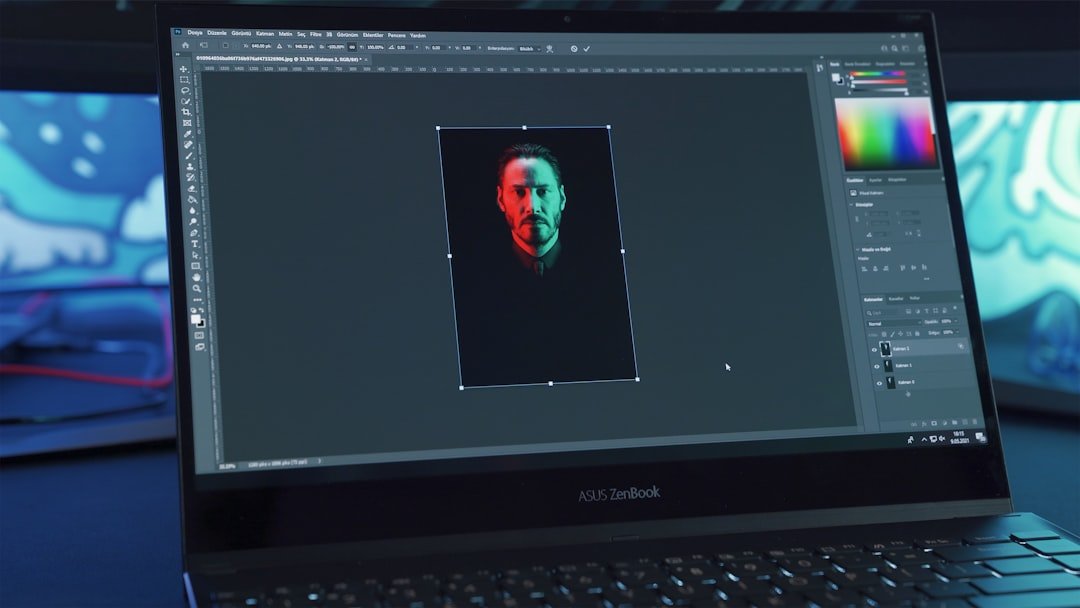
Photopea is an online Photoshop clone made by one person in Serbia, launched in 2017, with 20 million monthly active users in 2026. It's completely free with very few ads.
Core capabilities. Beyond background removal, it supports full PS features such as layers, masks, filters, and blend modes. But this article focuses on background removal.
AI background-removal entry. Choose "Select Subject" or "Magic Wand" from the menu to recognize the subject in one click. Accuracy of 85% comes close to Remove.bg.
Refinement tools. After the AI auto-selects, you can manually add to or subtract from the selection with the brush tool. Completely free, with no watermark and no usage limit.
Supported formats. PSD, PNG, JPG, GIF, SVG, PDF, and RAW are all handled. The generated PSD can be opened directly in Photoshop.
Operational complexity. A bit higher than Remove.bg. You need to understand basic PS operations. But tutorials are easy to find on YouTube.
Pricing. Completely free. The 5-US-dollar-per-month Premium only removes interface ads; the core features are free to use.
Commercial licensing. Copyright of generated images belongs to the user, and Photopea claims no rights.
Access from China. Photopea.com can be accessed directly from mainland China.
Who it's for. Students, design beginners, and anyone who doesn't want to pay for PS. It has more features than Remove.bg but a slightly higher learning curve.
No. 3 Pixian.ai, the High-Resolution King

Pixian.ai is a tool newly founded in 2023, positioned around high-resolution background removal. It had 8 million users in 2026.
Core capabilities. It supports images up to 23 MP, i.e., 5984x3863 HD. Remove.bg's free tier only goes up to 1248x832.
Precision. The AI model is optimized for industrial products and high-resolution images. It works best on detail-rich e-commerce products such as shoes and apparel, jewelry, and watches.
Speed. It produces a PNG within 10 seconds; large files may take 30 seconds.
Free tier. The web version is free with no watermark, but you have to wait in a queue. The queue is 1 to 5 minutes during peak times.
Pricing. Pro is 1.5 US dollars for 5 HD images. 10 US dollars per month includes 100 images.
API. It offers a REST API at 5 US dollars per 1,000 images. The top choice for Shopify merchants doing batch processing.
Commercial licensing. Commercial use is allowed.
Access from China. Pixian.ai is accessible from mainland China but occasionally laggy.
Who it's for. E-commerce merchants and product photographers. Specialized in handling large, high-quality images.
No. 4 Erase.bg, Chinese-Friendly
Erase.bg is a product of the Indian company Pixelbin, released in 2022.
Core capabilities. Similar to Remove.bg but with more approachable pricing.
Chinese interface. A full Chinese UI, suitable for users not comfortable with English.
Free tier. 50 HD downloads per month, with unlimited preview images. More generous than Remove.bg's free tier.
Pricing. Pro is 5.99 US dollars per month for 100 images. Business is 14.99 US dollars per month for 500 images.
Signature feature. One-click background replacement. The AI automatically recommends over 200 background templates, suitable for making marketing main images.
Batch processing. Upload 50 images at once, all done in 5 minutes.
Commercial licensing. Allowed.
Access from China. Erase.bg is accessible from mainland China.
Who it's for. Small and medium sellers and beginners. A one-stop combination of Chinese interface plus affordable pricing plus template backgrounds.
No. 5 BgRem, Removes Backgrounds from Both Video and Images
BgRem is a 2020 product from a Russian team, differentiating itself with "video background removal."
Core capabilities. Beyond static images, it can also handle video background removal and green screens. This is something other tools don't have.
Image background removal. 20 seconds per image, with quality close to Remove.bg.
Video background removal. It supports MP4 files from 10 seconds to 5 minutes. After frame-by-frame AI background removal, it exports a transparent PNG sequence or MP4.
Pricing. The free tier is 1 video or 5 images per month. Pro is 9.99 US dollars per month for 50 videos or unlimited images.
Feature. It integrates 5,000 free background-image assets. You can replace backgrounds in one click to make product videos.
Access from China. BgRem.com is slightly slow but accessible from mainland China.
Commercial licensing. The Pro version allows commercial use; the free version does not.
Who it's for. Video creators, vloggers, and e-commerce teams that need to replace backgrounds in product demo videos.
No. 6 Canva, Background Removal as Part of an Editing Suite
Canva is a comprehensive design platform with 200 million+ users in 2026. Background removal is one of the built-in features of Canva Pro.
Core capabilities. On the Canva design canvas, right-click an image and choose "Background Remover" to auto-remove the background within 30 seconds.
Integration advantage. After removing the background, you continue right inside Canva to make posters, social media images, PPTs, and business cards. A one-stop workflow with no tool switching.
Precision. About the same as Remove.bg, with slightly weaker fineness on hair strands.
Price. Canva Pro is 12.99 US dollars per month and includes the background-removal tool. The free version has no background-removal feature.
Number of templates. Canva has 1 million+ built-in design templates; after removing the background, just pick a template and apply it to get a finished product.
Access from China. The international Canva, canva.com, requires a VPN from mainland China, while the Chinese version chuangkit.com is directly accessible but has fewer features.
Who it's for. People who aren't professional designers but need to produce large volumes of marketing material. Marketing, new media, community operations, and sole proprietors.
Side-by-Side Comparison of the 6 Tools
Precision ranking. Remove.bg ≈ Pixian.ai > Erase.bg ≈ Photopea > Canva > BgRem.
Speed ranking. Remove.bg is fastest at 5 seconds, Erase.bg at 10 seconds, Canva at 15 seconds, Pixian.ai at 10 to 30 seconds, Photopea depends on how fast the user works, and BgRem video at 5 minutes.
Free-quota ranking. Photopea completely free > Erase.bg 50 images > Remove.bg 50 images > Pixian.ai free with queue > BgRem 5 images > Canva no free tier.
Cheapest-price ranking. Photopea 0 US dollars > Erase.bg 5.99 US dollars > Pixian.ai 10 US dollars > Remove.bg 9.99 US dollars > BgRem 9.99 US dollars > Canva 12.99 US dollars.
Chinese-support ranking. Erase.bg full Chinese > others basically English interfaces but usable with Chrome translation.
Commercial licensing. Except for BgRem's free version, which cannot be used commercially, the other 5 all allow free commercial use.
Video background removal. Only BgRem supports it.
Stability of access from China. Erase.bg ≈ Photopea ≈ Pixian.ai > Remove.bg > BgRem > international Canva.
The Keys to Good Background Removal
Input image quality determines the output. AI can't save a blurry, low-resolution image. It's advisable for the input image to be at least 1,000 pixels.
Light-and-shadow contrast affects recognition. When the subject and background have high contrast, such as a white-background product shot or a portrait against a solid color, recognition accuracy is above 95%. For complex backgrounds, such as a person mixed into a thicket, accuracy is 70% to 80%.
Hair-strand recognition depends on the model. Remove.bg and Pixian.ai do the best on hair-strand detail. Other tools occasionally produce jagged edges.
Semi-transparent objects are the hardest. AI recognition accuracy is lowest for glasses, gauze, smoke, and shadows. For such images, it's advisable to do a rough AI cutout first and then refine by hand in Photoshop.
Edge-sharpening tip. After importing the cutout into design software, add a 0.5 to 1 pixel feather to the edge to make it look more natural.
Advanced Tips
Tip 1. Batch processing. When a seller has thousands of product images, calling the Remove.bg or Pixian.ai API in batch saves 100 times the time of doing it by hand. 1,000 images for 5 US dollars.
Tip 2. One-click background replacement for marketing main images. First use a tool to remove the background, then use Erase.bg or Canva to apply a preset background in one click. Produce a set of e-commerce main images in 3 minutes.
Tip 3. Changing the background color of ID photos. Switching among blue, white, and red backgrounds doesn't require a dedicated photo studio; a free background-removal tool plus Canva's background-color application gets it done in 30 seconds.
Tip 4. Sticker creation. Cut out a person or animal, import it into Photoshop or an online sticker tool, add text and a border, and produce an original sticker in 1 minute.
Tip 5. AI product images. After cutting out a product image, use Midjourney or DALL-E to generate a new background such as "a high-end mansion living-room display shelf," then composite it into a premium-looking product image.
Tip 6. Privacy protection. If you're cutting out a screenshot that contains sensitive information, use Photopea to process it locally in the browser so the image isn't uploaded to a server. The other tools all upload to the cloud and carry privacy risks.
Recommendations by Scenario
E-commerce main images. Remove.bg + Pixian.ai HD.
Changing the background color of ID photos. Erase.bg, with its friendly Chinese interface.
Social media avatars. Canva, all in one.
Student-homework PPT graphics. Photopea, completely free.
Green screen for video. BgRem, the only option.
Batch automation. The Remove.bg API or the Pixian.ai API.
Privacy-sensitive images. Photopea, local processing.
Frequently Asked Questions
Can the Free Remove.bg Be Used Commercially?
Yes. The Remove.bg terms of service clearly state that copyright of the generated transparent-background PNG images belongs to the user, and personal and commercial use is allowed. The only limit of the free tier is the resolution cap of 612x408 pixels, which is enough for small icons and social avatars. For e-commerce main images and print materials you need the HD version, so it's advisable to upgrade to a paid tier or use the high-resolution Pixian.ai tool. Note that the original image you upload to Remove.bg must not infringe; you must own the copyright or have a license for the original.
Can AI Background Removal Recognize Transparent Objects?
It can recognize them in part, but the results are unstable. Transparent or semi-transparent objects such as glasses, plastic bottles, and acrylic are the hardest background-removal scenarios. Remove.bg and Pixian.ai recognize common glass bottles with about 70% accuracy and will retain some internal reflections. If you need a pristine transparent effect, it's advisable to do a rough AI cutout first and then refine by hand using Photoshop channels and masks. Elements composed entirely of transparency, such as smoke, flames, and flowing water, are basically beyond AI tools.
What Should I Do About Jagged Edges After Cutting Out?
Three solutions. First, choose high-quality mode or HD mode output in the original tool. The free tier's low resolution means fewer edge pixels, which makes jaggedness easy to see. Second, after exporting, add a 0.5 to 1 pixel feather to soften the edges in Photoshop or GIMP. Third, try a different tool. Remove.bg and Pixian.ai do the best on edge smoothness, while Canva and BgRem occasionally produce jaggedness. If none of these work, the original image's resolution may be too low, so it's advisable to reshoot or use a higher-resolution original.
Is It Safe to Upload Images to Online Tools?
Mainstream tools have privacy policies. Remove.bg, Erase.bg, and Pixian.ai all state that they delete original images within 1 hour of processing and that data is encrypted in transit. But any image uploaded to a server carries a theoretical risk of leakage. For sensitive images such as ID cards, passports, bank cards, and contracts, never use online tools. Photopea processes images on the browser side without uploading them to a server, making it a relatively safe choice.
Is the Mobile App or the Web Version Better?
Each has its advantages. Mobile apps such as Picsart and Snapseed have built-in background-removal features that are fast to operate, but their precision is usually inferior to the Pro versions of web tools. The web version has higher precision but requires a computer. For everyday social sharing, a mobile app is convenient since you can use it right after shooting. For professional commercial work or work with high precision requirements, it's advisable to use a computer to access the web version. Remove.bg, Pixian.ai, and Erase.bg all have mobile apps, but their features are streamlined compared with the web versions. It's strongly advisable to at least transfer the image to a computer, process it with the Pro web version, and then bring it back to your phone.
📝 本文来自抖文 www.douwen.me ,转载请保留出处。
原文链接:https://douwen.me/archives/1051/
💬 评论 (7)
Bookmarked for reference.
Sharing this with my team.
Thanks for the detailed comparison.
Solid breakdown, very useful.
Great resource.
Easy to follow.
Best summary I've read on this.