Sora 2 complete usage tutorial, get started with 2026 OpenAI video generation from scratch
The Complete Sora 2 Beginner's Tutorial: Getting Started with OpenAI's Text-to-Video in 2026
In 2026, video generation models moved step by step from "able to move" toward "actually usable," and Sora 2, released by OpenAI, is the most-discussed of the bunch. Compared with the original Sora, Sora 2 has iterated substantially on visual stability, physical behavior, prompt understanding, and audio handling, bringing the barrier to short-video creation down to a single sentence of description. But for newcomers encountering text-to-video for the first time, questions tend to pile up with no one explaining them systematically: what exactly is Sora 2, how does its positioning differ from Google Veo 3, how do you sign up to use it, how should you actually write prompts, what are the limits on video length and resolution, and what real-world scenarios does it fit. This tutorial follows a beginner's pace and stitches together the full path from getting to know Sora 2 to producing your first video, while also clarifying the current capability boundaries and pitfalls so newcomers can avoid some unnecessary detours.
What Exactly Is Sora 2: Its Positioning in One Sentence
Sora 2 is OpenAI's new-generation text-to-video model. Its core capability is letting users generate dynamic video clips directly from natural-language descriptions, with substantial improvements over the first-generation Sora in visual coherence, camera movement, physical realism, and audio generation. If the first-generation Sora was still at the demo stage of "can generate interesting clips but character movements often distort," Sora 2 has pushed generation stability to a level where you can seriously use it to make content. In product form, Sora 2 exists both as a standalone experience product and as part of OpenAI's model lineup plugged into various interfaces and applications. Through the official entry points, users can upload a prompt, a reference image, or even a reference video, and get a clip of a few seconds to a dozen-plus seconds within tens of seconds to a minute or two. Unlike the conversational generation that ChatGPT focuses on, Sora 2's core asset is its understanding of cinematic language, character motion, and the physical laws of a scene. This means that when generating short clips, it doesn't just make a static image "move" but can actually simulate how objects interact in the real world. The exact maximum length and resolutions it can generate are subject to what OpenAI publishes on its official pages.
How Sora 2 Differs from Google Veo 3 in Positioning
You can't discuss Sora 2 without bringing up Google's Veo 3; both products are representative works repeatedly compared in the 2026 text-to-video field. Broadly speaking, both Sora 2 and Veo 3 are top-tier text-to-video models that reach comparable levels in visual quality, prompt understanding, and camera movement. The differences show up more in ecosystem lock-in and stylistic leaning. Sora 2 is backed by OpenAI's product lineup and shares the same account system and moderation mechanism as ChatGPT, DALL-E, and others; it excels at conceptual, artistic, imaginative scenes, with relatively cinematic camera language. Veo 3, by contrast, is deeply integrated into Google's AI stack, with tighter ties to Gemini, Google Photos, and YouTube creation tools, and has its own strengths in audio-visual sync, everyday-life scenes, and long-clip coherence. For creators, which one to pick depends more on which side your existing workflow leans toward than on an either-or choice. When actually writing articles or making content, trying both and then deciding on a primary tool is usually more reliable than going by review scores.
How to Sign Up for Sora 2: Accounts and Access Points
The first step to using Sora 2 right now is having an OpenAI account; have an email, phone number, and a supported payment method ready and you can register, with the specific registration flow and regional availability subject to OpenAI's official pages. Once your account is ready, there are a few main paths to access Sora 2: first, OpenAI's standalone Sora experience product; second, partner platforms that have integrated Sora capabilities; third, the API channel for developers. Different entry points differ in feature completeness, generation speed, and available quota; ordinary creators generally find it most direct to start from the official standalone entry. After logging in, you'll see a conversational or form-style generation interface, with the prompt box, reference-material upload, length selection, and resolution options basically self-explanatory. One reminder: text-to-video products open up at different paces in different regions, and some features or tiers may be regionally restricted. If you hit a "feature not available" or "region not supported" message, it's better to first confirm the current availability range on the official pages rather than retrying repeatedly or trusting third-party channels.
How to Write Prompts: From Structure to Detail
The prompt is the core variable that determines Sora 2's output quality. The pitfall newcomers most easily fall into is writing a very short prompt like "two people walking in a park," which produces a video with neither a sense of cinematography nor atmosphere. A good prompt is best broken down by the structure "subject + scene + camera + style + detail": first state clearly what the core subject in the frame is, what action it's performing, and what environment it's in; then specify the camera movement, such as a fixed shot, a slow push-in, a tracking shot, or an overhead view; then add overall style keywords for the frame, such as cinematic, vintage film, realistic documentary, or neon cyberpunk; finally use some detail descriptions to fill in dimensions like lighting, season, weather, and facial expressions. For example, expanding "two people walking in a park" into "two people in their twenties walking along a park path on an autumn evening, fallen leaves covering the ground, backlit, the camera slowly pushing in from the side as a tracking shot, cinematic color grading, warm orange light" produces a sense of frame that's orders of magnitude better. After writing the prompt, don't chase perfection on the first try; generate the first version and see how it looks, then add keywords based on the issues, and typically three to five rounds of iteration get you close to what you want.
Video Length, Resolution, and Controllability
Before they touch Sora 2, newcomers often have inflated expectations about length, imagining a single sentence can generate a multi-minute finished piece. The reality is that, for the sake of compute and stability, text-to-video models currently cap the length of a single generation. Sora 2's per-generation maximum length is subject to what OpenAI officially publishes, typically falling between a few seconds and a dozen-plus seconds; going beyond that range can be done by stitching multiple clips together, but each clip needs to be generated and transitioned separately. On resolution, the output specs Sora 2 supports are also subject to the official pages; common landscape, portrait, and square ratios are all within coverage, adapting to platforms like Douyin, Video Accounts, YouTube Shorts, and Xiaohongshu video. On controllability, Sora 2 has improved across camera movement, character motion, scene consistency, and stylistic unity, but it's still far from "shoot whatever you want." Newcomers should set expectations: the first few outputs will most likely differ from the image in your head, and the realistic way of working at this stage is to inch toward your target step by step through reference images, reference videos, segmented generation, and prompt iteration.
Typical Use Cases: Short Videos, Ads, and Education
Sora 2's real value is compressing video content production that used to require a team and a budget down to a level an individual can afford, and its typical use cases roughly fall along a few lines. The first is short-video content: creators on Xiaohongshu, Douyin, Video Accounts, and YouTube Shorts can use Sora 2 for intros, transitions, conceptual clips, and virtual scenes as a supplement to everyday live-action content, internalizing the step that used to require buying stock footage. The second is advertising and brand content: small and mid-sized brand owners and independent creators taking on ad work can use Sora 2 to produce concept films, product demo animations, and holiday promo shorts, getting a viewable draft within a few hours so client feedback comes much faster. The third is education and science communication: knowledge creators, training organizations, and corporate training departments can use Sora 2 to visualize abstract concepts, such as explaining a physical phenomenon, recreating a historical scene, or demonstrating a procedure, upgrading text courseware into dynamic footage. The fourth is personal creative expression: film students, independent creators, and hobbyists can use Sora 2 for short-film experiments, concept-film practice, and script previz, putting the images in their heads onto the screen at low cost. What these scenarios have in common is that none require long clips or film-grade detail precision, but all want "fast" and "cheap," which is exactly what Sora 2 is best at right now.
Common Limitations and Current Pitfalls
The thing anyone needs to assess calmly before using Sora 2 is its limitations. First is the stability of faces and hands: although Sora 2 has made plenty of optimizations over the first generation, it still has occasional distortions and discontinuities when generating multi-character interactions, complex hand movements, or long facial close-ups. This matters more for documentary and close-up-heavy videos and matters relatively little for concept films and atmosphere pieces. Second is text rendering: if your prompt requires specific text to appear in the frame, the model's fidelity still can't reach graphic-design precision, and details like signs, slogans, and subtitles often come out with typos or garbled characters; for serious uses, key text is best composited in during post. Third is the boundary of physical realism: shots that demand high physical fidelity, such as flowing liquids, fluttering cloth, and mechanical structures, occasionally produce counterintuitive details, so check frame by frame when making product promos. Fourth is moderation and compliance: prompts involving real public figures, sensitive scenes, or violent content will be refused by the model, which is OpenAI's consistent safety mechanism, so creators should proactively avoid these minefields at the topic-selection stage. Fifth is output-style controllability: when you need to precisely reproduce an existing IP style or brand visual guidelines, there will still be a gap between Sora 2's output and the target, so content that must strictly follow a brand handbook will need touch-ups in post.
Pricing Thresholds and Quotas: Subject to the Official Pages
What many newcomers care about most is how much Sora 2 actually costs to use, and this depends on the situation. OpenAI typically ties Sora 2 access to subscription tiers of different levels: ordinary users can experience basic features and a limited generation quota at a low-barrier tier, while high-frequency creators and professionals need to upgrade to higher tiers to unlock more generations, higher resolution, or longer single-clip lengths. The specific subscription prices, per-generation consumption, monthly quota caps, and regional differences are all subject to OpenAI's publicly available pages, and this article does not cite unconfirmed specific numbers. Based on industry feedback, text-to-video products are noticeably more expensive overall than text-to-image models because of their high compute consumption, so before trying it out, newcomers are advised to estimate their monthly generation volume and pick the right tier before paying, to avoid spending money before they've fully used the features. Beyond direct official subscriptions, some partner platforms also offer pay-per-use or pay-by-quota options, suitable for the short-term needs of temporary projects, but you'll have to judge the pricing transparency and service stability yourself.
Suggested Hands-On Steps for Your First Video
Putting the above together, the hands-on path for a newcomer producing their first Sora 2 video is roughly this. First, register or log in on OpenAI's official pages and confirm whether your current account tier includes Sora 2 access; if not, decide whether to upgrade based on your budget. After entering Sora 2's generation interface, don't rush to write a prompt; spend ten minutes looking at the official sample videos and prompt cases to get a feel for the model's preferences and the styles it's good at. Then write your first prompt, expanding it with the "subject + scene + camera + style + detail" structure, choose the length and resolution, and submit for generation. When the result comes out, watch it frame by frame, find which parts match expectations and which differ, adjust the prompt based on the gaps, and you'll usually get a relatively satisfying version after three to five rounds. If you're still not satisfied with the result, try adding a reference image or reference video to give the model a clearer visual anchor. After downloading the generated video locally, decide based on its use whether to take it into editing software for post, where adding subtitles, color grading, and music are still more reliably done by hand for now. Run through the whole flow once and you'll have a solid feel for Sora 2's capability boundaries and working rhythm, so you won't have to fumble through trial and error every time on later projects.
Connecting Post-Production with Platform Distribution
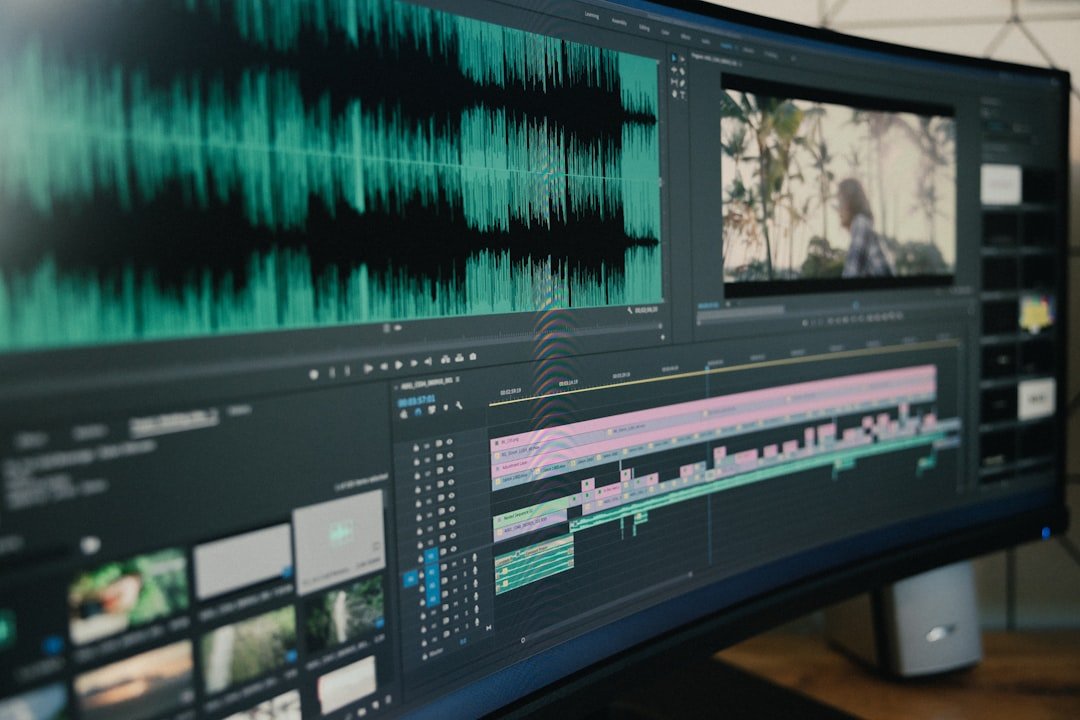
Most clips generated by Sora 2 need simple post-production before they're truly uploaded to a platform, and the connecting approach determines whether you can produce content steadily. Common post-production steps include unifying color grading, adding subtitles, adding music, connecting intros and outros, and stitching multiple clips, all of which can be done in any mainstream editing software such as Jianying (CapCut), DaVinci Resolve, or Final Cut Pro, and the operations are no different in essence from handling ordinary footage. For short-video creators, treating Sora 2 as a footage source and the traditional editing workflow as the processing workshop, combining the two, makes for a steadier production rhythm. For platform distribution, landscape 16:9 suits long content on YouTube and Video Accounts, portrait 9:16 suits the feeds of Douyin, Video Accounts, and Xiaohongshu, and square 1:1 suits Instagram and feed ads; choose the corresponding ratio at the prompt stage based on the target platform to avoid cropping later and losing frame information. Folding Sora 2 output into your daily content production pipeline is its biggest value to individual creators, rather than testing a few interesting samples in isolation and then setting it aside.
Frequently Asked Questions
What are the main differences between Sora 2 and the first-generation Sora
The main differences are concentrated in visual stability, camera movement, physical behavior, audio generation, and prompt understanding. The first-generation Sora could already give stunning demos when generating a few-second video, but in actual use, problems like character distortion, dropped-frame motion, and abrupt camera changes were fairly common, and the odds of stably producing usable finished footage were low. Sora 2 has optimized these directions substantially: the coherence of character motion, the stability of tracking shots, and the physical interaction between objects in complex scenes are all closer to the texture of real filming, and there's also progress in audio handling so the generated clips are no longer silent films. For longtime users, Sora 2 is the key step from a "demo tool" to a "content production tool," and for new users it's a direct experience of OpenAI's latest results in text-to-video.
Which is the better fit, Sora 2 or Veo 3
Both products are top-tier text-to-video models, and the choice depends more on your personal workflow and stylistic preference than on one being unilaterally stronger. Sora 2 has its own advantages in conceptual, cinematic, imaginative scenes and shares an account system with OpenAI products like ChatGPT, so the access path is familiar. Veo 3 has its own focus on everyday-life scenes, long-clip coherence, and audio-visual sync, with tighter ties to the Google ecosystem. If you're already a heavy ChatGPT user, starting with Sora 2 is more natural; if you live in the Google ecosystem day to day, Veo 3 integrates more naturally. Based on industry feedback, many creators end up using both and flexibly switching based on the stylistic needs of each project.
How can a beginner avoid disappointment using Sora 2 for the first time
The most important thing is to set reasonable expectations: text-to-video is still far from "shoot whatever you want," and your first output will most likely differ from the image in your head, which is normal rather than a tool problem. We recommend starting by imitating official samples: first run a few prompts similar to the official cases to get familiar with the model's preferences and the styles it's good at, then gradually transition to your own creative topics. Expand your prompts with the "subject + scene + camera + style + detail" structure, and avoid prompts that are too short in a single sentence or that pile up meaningless keywords. Don't get discouraged if one generation doesn't turn out well; iterate the prompt a few more rounds, add reference images, and adjust resolution and length, and you'll usually get a usable version in three to five rounds.
Can videos generated by Sora 2 be used commercially
This is subject to the terms of use on OpenAI's publicly available pages; the rules on commercial rights may differ across subscription tiers, regions, and use cases. Generally, content generated under a paid tier can be used for personal and commercial projects provided it complies with the platform's terms of use, but material involving real-person likenesses, brand trademarks, or sensitive subjects requires extra attention to legal compliance. The safest practice before commercial use is to directly consult OpenAI's official terms of service and content policy, and for large-scale commercial placements or ad material, it's advisable to confirm with legal in advance rather than using it straight off your own impression.
Is Sora 2 suitable for making long videos
At this stage it's not very suitable for making long videos directly. Sora 2's per-generation maximum length is subject to the official pages, typically falling between a few seconds and a dozen-plus seconds; to make content of several minutes or more, you need to split the script into multiple clips, generate them separately, and stitch them together in editing software. This approach faces challenges in visual style, character appearance, and scene consistency, and the transitions between clips require a lot of manual adjustment. Based on industry feedback, Sora 2 is currently better suited to scenarios like short-video clips, intros and outros, concept demos, and transition footage—content that can be conveyed in a few seconds to a dozen-plus seconds. Creators who genuinely want to make long videos usually combine several lines—live-action footage, template editing, and AI clips—rather than relying entirely on a text-to-video model.
📝 本文来自抖文 www.douwen.me ,转载请保留出处。
原文链接:https://douwen.me/archives/1031/
💬 评论 (9)
Great resource.
Bookmarked for reference.
Thanks for the detailed comparison.
Practical tips not fluff.
Stats really back it up.
Loved the FAQ section.
Clear and to the point.
Step-by-step is gold.
Solid breakdown, very useful.